Model API
flux2/dev/text-to-image API
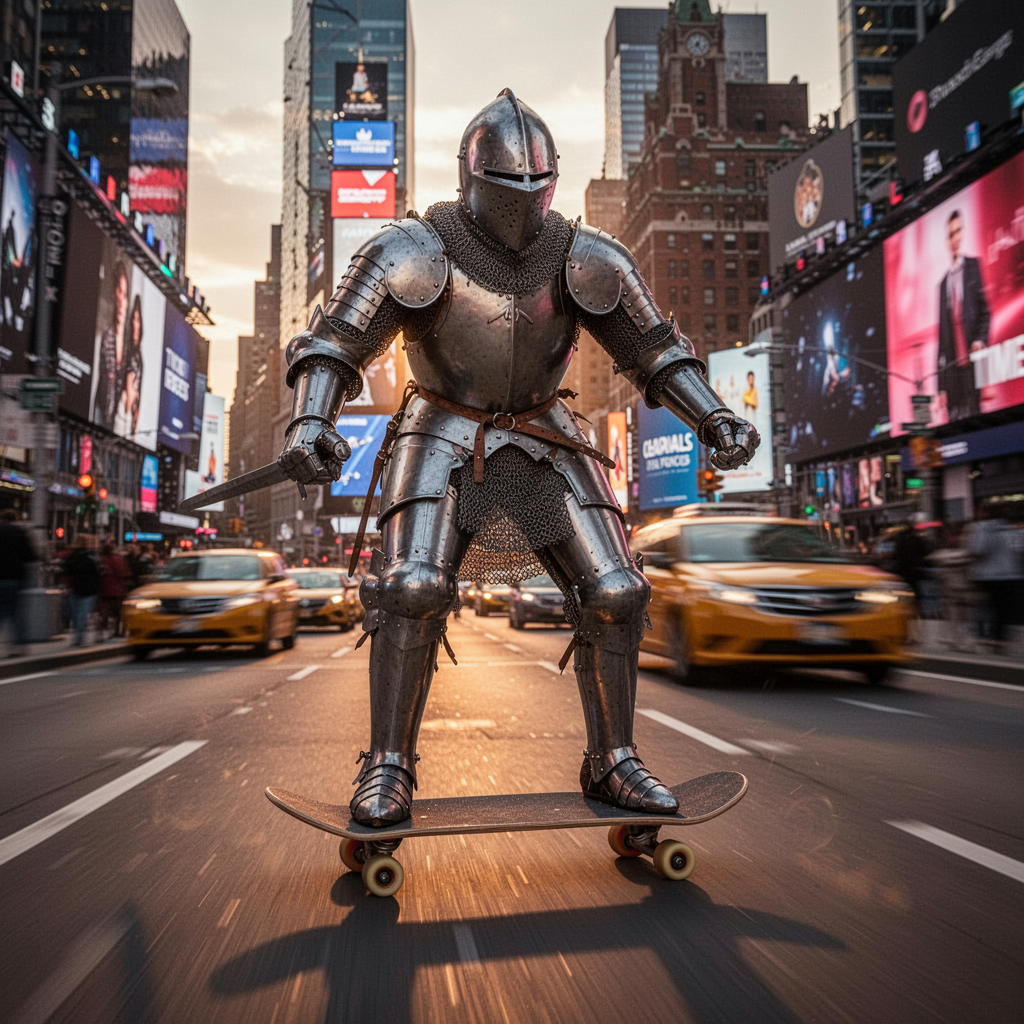
FLUX.2-dev — High-resolution text-to-image with a 2048 long edge and six fixed aspect ratios.
- API model ID
- flux2/dev/text-to-image
- Capabilities
- text-to-image
Browse model information and examples without an account. Sign in to generate.
API access
Use flux2/dev/text-to-image as the model ID in your API request. Authenticate with an X-API-Key header, submit your request, then check its status and retrieve the result.
See current pricing for output and reference input charges.
Explore more models
- wan/v2.2-a14b/image-to-video
Transform any image into a dynamic video. High quality 14B parameter model with excellent motion generation.
- wan/v2.2-a14b/text-to-video
Generate videos from text descriptions. Create cinematic scenes with natural motion and high visual fidelity.
- wan/v2.2-a14b/image-to-video/lora
Apply your custom LoRA styles to image-to-video generation. Upload your trained LoRA and create stylized videos from any image.
- wan/v2.2-a14b/text-to-video/lora
Apply your custom LoRA styles to text-to-video generation. Upload your trained LoRA and create stylized videos from text prompts.
- wan/v2.2-a14b/image-to-video/turbo
Turbo I2V — 4-step LightX2V. ~5x faster than quality mode, ~5 seconds of video, 32 FPS. Great for rapid iteration.
- wan/v2.2-a14b/text-to-video/turbo
Turbo T2V — 4-step LightX2V. ~5x faster than quality mode, ~5 seconds of video, 32 FPS. Great for rapid iteration.
- qwen-image/v2512/text-to-image
Qwen Image 2512 — High quality text-to-image. 28-step generation, excellent detail, Chinese/English text rendering. Up to 1280×768.
- qwen-image/v2512/text-to-image/lora
Qwen Image 2512 + LoRA — Apply custom LoRA styles to high-quality text-to-image generation.
- z-image/turbo/text-to-image
Z-Image Turbo T2I — Ultra-fast 4-step text-to-image. Sub-second latency, perfect for rapid iteration.
- z-image/turbo/text-to-image/lora
Z-Image Turbo T2I + LoRA — Fast text-to-image with custom LoRA styles.
- z-image/turbo/image-to-image
Z-Image Turbo I2I — Fast image-to-image transformation. Style transfer, enhancement, creative modifications.
- flux2/dev/image-edit
FLUX.2-dev — Image Edit with the same 2048-long-edge resolution policy.
- z-image/turbo/image-to-image/lora
Z-Image Turbo I2I + LoRA — Image-to-image with custom LoRA styles.
- qwen-image/v2511/image-edit
Qwen Image Edit 2511 — Multi-reference image editing. Upload 1–3 reference images and describe the target scene. 28-step high-quality generation.
- wan/v2.2-a14b/speech-to-video
Speech to Video — Generate lip-synced video from an image and audio. Upload a portrait image and speech audio to create talking-head videos.
- wan/v2.2-a14b/animate
Animate — Bring images to life using a reference video for motion. Upload an image and a motion reference video to create animated content.
- ltx-video/v2.3/image-audio-to-video
LTX Video 2.3 - speech-driven video from an image and required audio track, with cinematic motion and synchronized audio.
- qwen3-tts/text-to-speech/1.7b
Qwen3-TTS CustomVoice — Text to Speech with 10 preset voices. Supports Chinese, English and Japanese. 1.7B parameter model with low-latency synthesis.
- openai/gpt-image-2/text-to-image
GPT Image 2 — Frontier text-to-image with exceptional prompt following and text rendering. 1024/1536 sizes.
- MiniMax H3 Image to video
MiniMax H3 Image to video API on Phosor. Animate a starting image and describe the motion. Add an optional ending image for first and last frame control. Explore API inputs, documentation and current pricing.
- MiniMax H3 Text to video
MiniMax H3 Text to video API on Phosor. Start with a written scene. Describe the subject, action, camera movement and setting. Explore API inputs, documentation and current pricing.
- MiniMax H3 Reference to video
MiniMax H3 Reference to video API on Phosor. Guide a clip with reference images or videos, with optional audio references. Address uploaded references in your prompt using <Picture n>, <Video n> and <Audio n>. Explore API inputs, documentation and current pricing.
- MiniMax H3 Text to video Turbo
MiniMax H3 Text to video Turbo API on Phosor. Start with a written scene. Describe the subject, action, camera movement and setting. Explore API inputs, documentation and current pricing.
- MiniMax H3 Image to video Turbo
MiniMax H3 Image to video Turbo API on Phosor. Animate a starting image and describe the motion. Add an optional ending image for first and last frame control. Explore API inputs, documentation and current pricing.
- MiniMax H3 Reference to video Turbo
MiniMax H3 Reference to video Turbo API on Phosor. Guide a clip with reference images or videos, with optional audio references. Address uploaded references in your prompt using <Picture n>, <Video n> and <Audio n>. Explore API inputs, documentation and current pricing.